Ransomware in Your Business: What to Do and How to Protect Yourself

If your business is hit by ransomware, disconnect the affected network right away but leave the machines switched on. Don't pay the ransom, and file a police report before you reinstall anything. If personal data is involved, you then have 72 hours to notify the CNIL. Whether you can restart without paying depends mostly on one thing you set up in advance: a disconnected backup that you have tested.
Key takeaways:
- At the first sign of an attack, cut the affected network's Internet connection but don't shut the machines down. That way you keep the evidence investigators will need.
- Cybermalveillance.gouv.fr and No More Ransom both advise against paying the ransom, because nothing guarantees you'll get your data back.
- To be compensated by a cyber insurance policy, you must file a police report within 72 hours (Law No. 2023-22, Article 5) and before you reinstall any devices.
- Ransomware that affects personal data counts as a breach under the GDPR. Notify the CNIL no later than 72 hours after you become aware of it, and add details to the notification later if needed.
- A backup that stays connected can be encrypted too. Keep a disconnected copy stored somewhere else, and test restoring it regularly.
Table of Contents
- How do I know if my business has been hit by ransomware?
- What should you do in the first hours after the attack?
- Should you pay the ransom?
- Filing a police report and notifying your insurer: what are the deadlines?
- When do you need to notify the CNIL and the people affected?
- How do you restart operations without reinfecting your systems?
- Which backups actually survive ransomware?
- How can a small business prevent a ransomware attack?
- Yundera: a dedicated private server to keep control of your files
- The costliest mistakes when dealing with ransomware
- Sources
- Frequently Asked Questions
How do I know if my business has been hit by ransomware?
Your business has probably been hit by ransomware if files suddenly become unreadable, a ransom note appears, or several workstations and servers stop working at the same moment. These signs rarely show up alone. They usually spread across several machines within minutes or hours.
- Renamed or unreadable files: documents, spreadsheets and photos won't open, and an unfamiliar extension has often been added to the end of their names.
- Ransom note: a text file dropped into folders, or a replaced desktop wallpaper, demands payment (often in cryptocurrency) by a deadline.
- Locked workstations: a screen freezes the computer, or user sessions stop responding.
- Unreachable servers: network shares, business software or email suddenly go down for every user at once.
Seeing no encrypted files doesn't mean you're safe. Attackers often steal data before encrypting it so they can threaten to publish it. This is known as double extortion. CERT-FR goes further: in its 2025 Cyber Threat Overview, it notes “a decline in the use of ransomware in favor of a significant increase in data exfiltration alone.” So you can receive a ransom demand even when no file has been encrypted.
Pro tip: an unusual spike in outbound traffic, an antivirus alert or an administrator account created for no reason should trigger the same response as a ransom note. Assume a data leak from the outset, because a leak has consequences under the GDPR.
What should you do in the first hours after the attack?
In the first hours, your goal is to contain the attack without destroying evidence. Isolate the network, leave the machines switched on, alert the right people and write everything down. The Cybermalveillance.gouv.fr response sheet sets out the priorities. Follow them in this order:
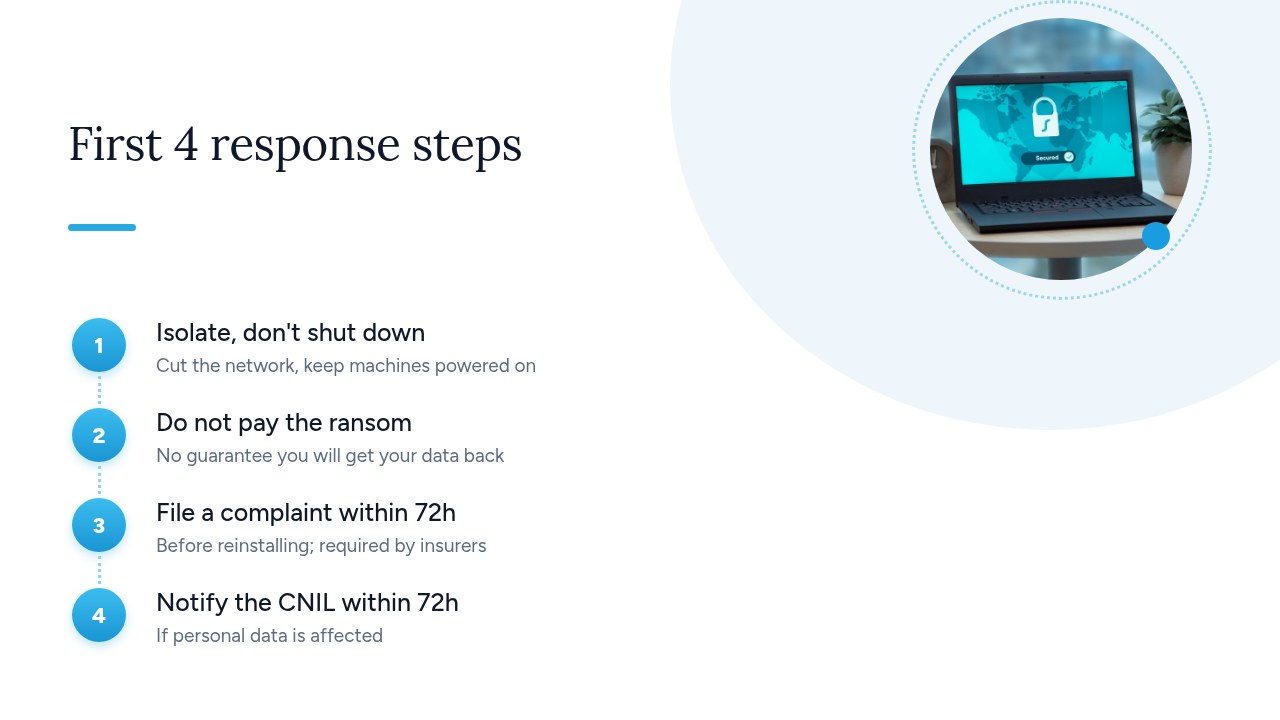
- Cut the Internet connection: “Disconnect the attacked network from the Internet” to stop the spread and any data leak. Unplug the network cable and turn off Wi-Fi on the affected machines.
- Don't shut anything down: “Do not switch off the affected machines.” RAM and logs hold traces that investigators and your IT provider will need.
- Alert management and your IT provider: management makes the decisions (communications, halting operations, insurance), and the provider starts the analysis. Call them by phone rather than using company email, which may be compromised.
- Start an action log: on paper or on a clean device, record the time of each finding, which machines are affected and who did what. You'll need this log for the police report, the insurer and any notification to the CNIL.
- Get help: go through the assistance process on 17cyber.gouv.fr, as Cybermalveillance recommends. It will direct you to law enforcement and specialist providers.
Pro tip: print a sheet today with the phone numbers of management, your IT provider and your insurer. On the day of the attack, your files and email may well be out of reach.
Should you pay the ransom?
No, don't pay the ransom. Cybermalveillance.gouv.fr is clear on this: “Do not pay the ransom demanded, as you cannot be sure you will recover your data” (ransomware response sheet). The European No More Ransom project gives the same advice: “Our first piece of advice is not to pay the ransom.”
- No guarantee: you are dealing with criminals. The decryption key may never arrive, or it may only work on some of your files.
- Stolen data stays stolen: in a double-extortion attack, paying doesn't delete the copy the attackers hold, and it doesn't stop them from publishing or selling it.
- You fund the next attack: every ransom paid keeps the model profitable, and a company that has paid once may be targeted again.
Before you write your files off, check No More Ransom. The site offers free decryption tools for certain ransomware families, including LockBit 3.0, Phobos/8base, Akira and BlackBasta. It admits, however, that “there is no solution for every type of ransomware,” so treat it as something worth trying, not a sure thing.
Pro tip: don't run a decryption tool on the affected machines yourself until your IT provider has copied the evidence and identified exactly which ransomware you're dealing with. The wrong tool can damage files that could still have been recovered.
Filing a police report and notifying your insurer: what are the deadlines?
File a police report as soon as possible. Do it before you reinstall the affected devices, and no later than 72 hours after becoming aware of the attack if you want your cyber insurance to pay out. Both requirements come from the Cybermalveillance.gouv.fr response sheet.
- Where to file: at a police station, at a gendarmerie brigade, or in writing to the public prosecutor (procureur de la République).
- Before any reinstallation: according to Cybermalveillance, “the complaint must be filed before the affected devices are reinstalled.” Wiping and reinstalling destroys the traces the investigation needs.
- 72 hours for insurance: Law No. 2023-22 of January 24, 2023 (Article 5) makes insurance compensation for a cyberattack conditional on a complaint being filed within this deadline. Without a timely complaint, your claim may be refused.
- Notify your insurer: reread your policy to find the reporting deadline and any assistance hotline. Some policies require you to use a provider chosen by the insurer.
Gather the evidence before you go to file the report:
- The ransom note: the file itself, or a photo of the screen.
- Logs: server, firewall and antivirus logs, exported by your IT provider.
- Screenshots: renamed files, error messages, suspicious accounts.
- Your action log: times, findings and decisions made since the attack was discovered.
Pro tip: ask for a receipt for your complaint and send it to your insurer straight away. It's often the first document they ask for.
When do you need to notify the CNIL and the people affected?
As soon as ransomware affects personal data (customers, employees, patients, prospects), you must notify the CNIL no later than 72 hours after becoming aware of it, unless the breach poses no risk to the people concerned. Ransomware that encrypts this data makes it unavailable. Ransomware that exfiltrates it compromises its confidentiality. Either way, it is a personal data breach under Article 33 of the GDPR.
- The deadline: the CNIL asks for notification through its online service “within 72 hours at the latest” (CNIL, when to notify a breach).
- In two stages if needed: there's no need to wait for the investigation to finish. Send an initial notification with what you know, then a follow-up notification once you know more.
- If you're late: “If the 72-hour deadline has passed, you will need to explain the reasons for the delay in your notification.”
- Inform the people affected: if the risk is high, for example when bank details, health data or ID documents have been stolen, “you must also notify the people concerned of the incident.” Tell them plainly what happened and what they can do (change their passwords, watch out for phishing attempts).
- Keep internal records: even if you don't notify, record the incident in your breach register (facts, effects, actions taken). The GDPR requires it, and the CNIL may ask to see it during an inspection.
Pro tip: if you have a data protection officer (DPO), tell them within the first hour. The 72-hour clock runs alongside the deadline for the police report, and both processes rely on the same action log.
How do you restart operations without reinfecting your systems?
To restart without reinfecting your systems, don't restore anything until you know how the attacker got in. Otherwise they'll come back the same way, sometimes the very next day. The Cybermalveillance.gouv.fr response sheet recommends getting professional support, and the platform lists specialist providers across France. Follow this order:
- Bring in a qualified provider: they copy the evidence, identify the ransomware and assess how far the compromise goes before anything is brought back online.
- Find the entry point: a poorly protected remote access service, outdated software, a booby-trapped attachment, stolen credentials. Until the hole is fixed, any restoration is only temporary.
- Change every password: administrator accounts, service accounts, email, VPN and provider access, all from a clean machine. Turn on two-factor authentication while you're at it.
- Restore a clean backup: pick a backup taken before the compromise, which may be several days before the encryption, and reinstall machines from clean media rather than trying to “clean” them.
Rebuilding often takes several days. Plan a degraded mode: invoicing on paper, phone instead of email, and critical applications brought back first. These choices should be made calmly in advance, in a disaster recovery plan (DRP), not in the middle of a crisis.
Pro tip: bring a small, isolated part of the system back online first and monitor it for 24 to 48 hours before reconnecting the rest of the network.
Which backups actually survive ransomware?
A backup only survives ransomware if it is disconnected, stored in a different location and tested. A copy that stays plugged in all the time will be encrypted along with everything else. Cybermalveillance.gouv.fr makes this point on its backup management page, updated on 09/14/2026: a backup connected to the network “can also be affected by the malicious program.”
- Offline: “Disconnect your backup media from your computer or network, or take it offline when you are no longer using it.” An external drive kept in a drawer beats a network share that is always mounted.
- Somewhere else: “Also keep a backup in a different location from where the original data is stored.” This also protects you from fire, water damage or theft.
- Verified: “regularly make sure your backup works.” A job that fails without anyone noticing, or one that backs up files that are already encrypted, is useless on the day of the crisis.
- With version history: keep several older versions. That way you can roll back to a date before the compromise, which may be several days before the encryption became visible.
These principles match the 3-2-1 rule: three copies, on two different types of media, with one stored off-site.
Pro tip: at least once a year, do a full restore of a server or workstation from your backups onto a test machine, and time it. It's the only way to know how long recovery will actually take.
How can a small business prevent a ransomware attack?
Most ransomware attacks can be prevented with a handful of basic security habits applied without exception: updates, two-factor authentication, protected remote access, limited permissions and trained staff. The Cybermalveillance.gouv.fr sheet lists these as its prevention measures, alongside the backups described above:
- Regular updates: operating systems, business software and browsers, but also firewalls, routers and NAS devices. These are often forgotten even though they are exposed to the Internet.
- Two-factor authentication: mandatory for email and every form of remote access. A stolen password is then no longer enough to get in.
- VPN for remote access: no remote desktop or file server should be directly exposed to the Internet. See our guide to secure remote access.
- Least privilege: nobody uses an administrator account for day-to-day work, and each person can only reach the folders they need. A compromised machine then does far less damage.
- Phishing awareness: employees should know how to spot a suspicious attachment or link, and feel free to report it without fear of being punished.
- A written response plan: what to disconnect, who to call and in what order, with the printed phone numbers of management, your IT provider and your insurer.
To go further, the guide from ANSSI and the French Ministry of Justice, “Ransomware Attacks: Everyone Is Concerned”, is written for executives and IT managers alike. It explains how to prepare for an attack and how to respond when an incident occurs.
Pro tip: once a year, run a one-hour exercise based on a fictional attack scenario. It quickly shows which phone numbers are missing and which decisions nobody knows how to make.
Yundera: a dedicated private server to keep control of your files
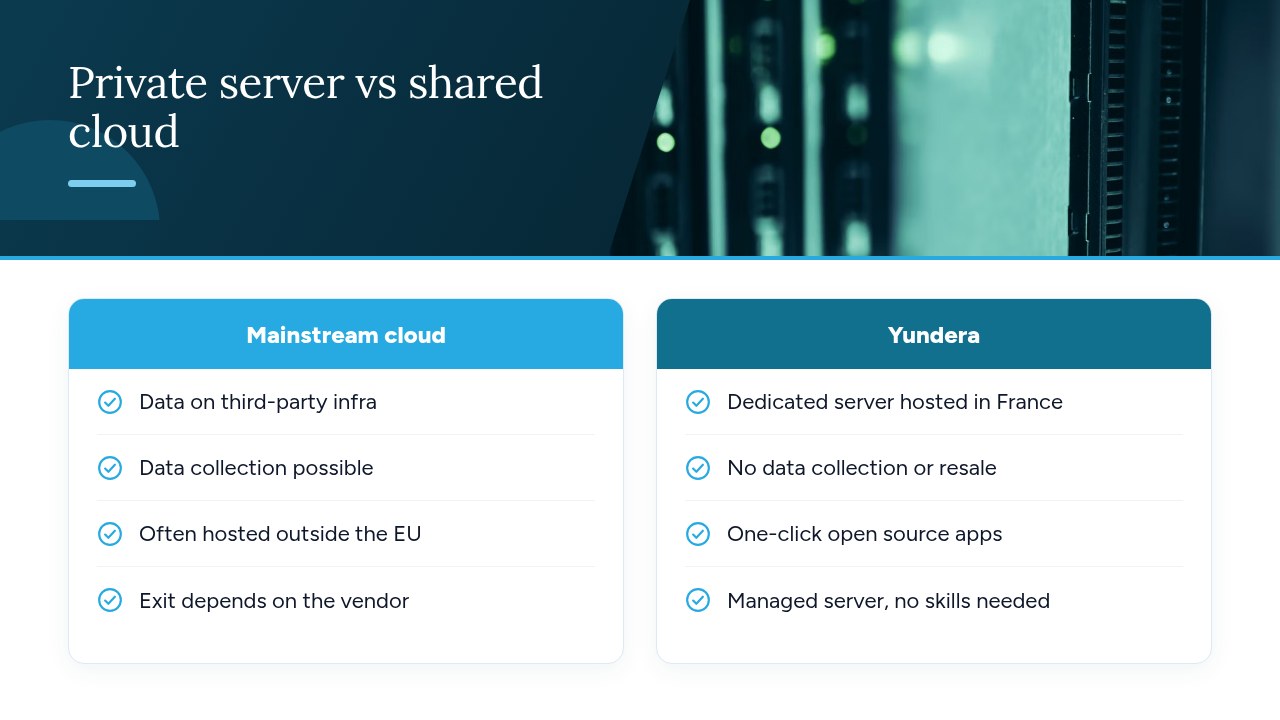
Yundera offers a managed private server, the Personal Cloud Server, hosted in France and dedicated to a single customer. Your files sit on infrastructure that only you use, rather than on a mass-market cloud. For a small business, this server can hold a copy of your important files in a location separate from your premises. It doesn't replace the offline copy recommended by Cybermalveillance.gouv.fr. It adds to it, as part of a backup strategy and a disaster recovery plan you've worked out in advance.
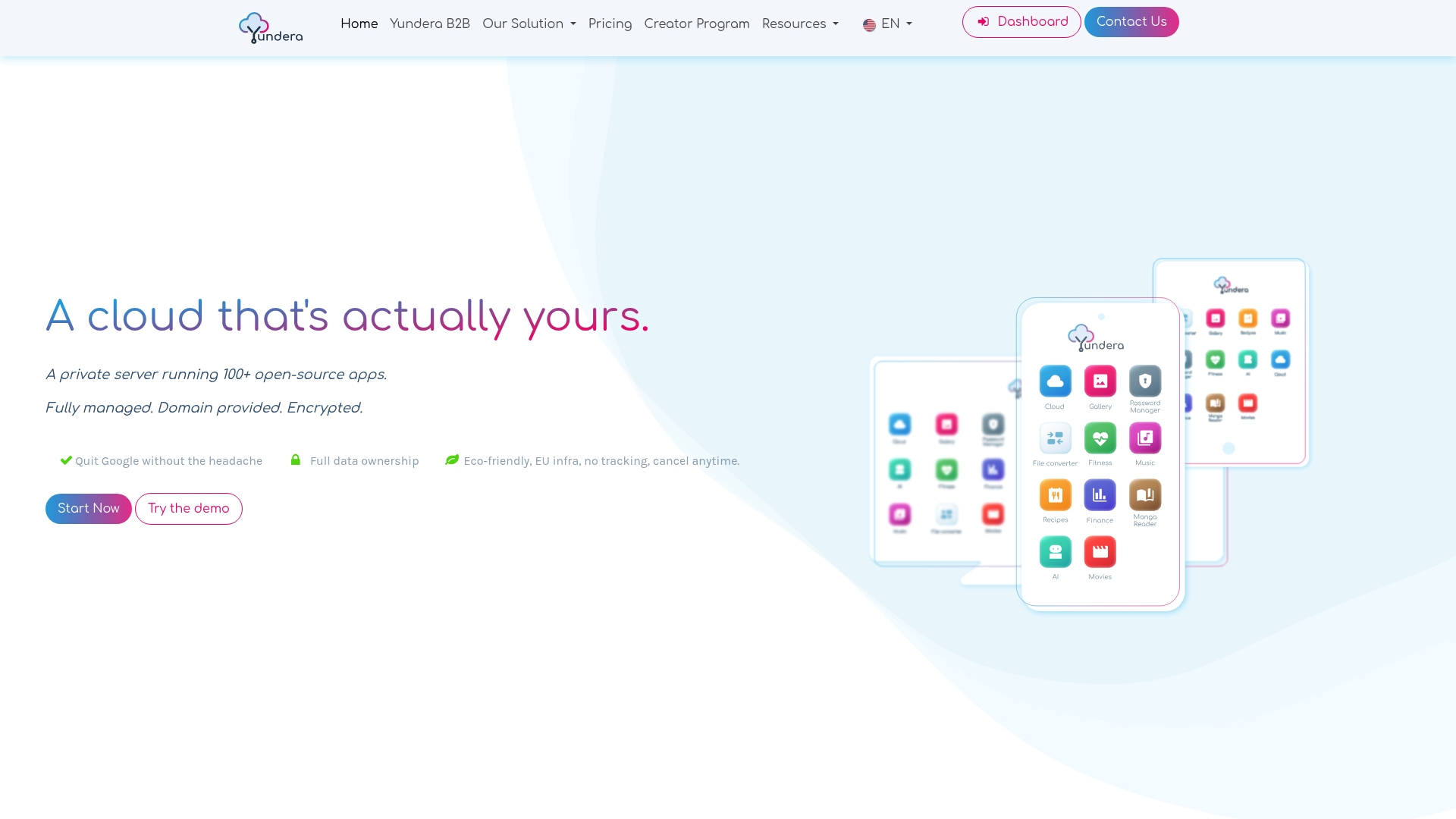
- Ready-to-use apps: file storage, photos, office tools, website hosting and other open-source apps install in one click from an app store.
- Simple, encrypted access: each app is available on your own domain over HTTPS, with no static IP, no port forwarding and no manual certificate setup.
- Your data stays yours: it stays on your server. Yundera doesn't collect it or sell it.
- No technical skills required: Yundera manages the server for you.
To compare plans and pricing, see the Yundera private servers page.
The costliest mistakes when dealing with ransomware
The costliest mistakes almost always happen in the panic of the first few hours, or months earlier through lack of preparation. Machines get shut down and the evidence disappears. Systems get reinstalled before a police report is filed, and the insurance payout is lost. The 72-hour deadlines for the police report and the CNIL notification are missed. The ransom gets paid in the hope of recovering the files. Preparation failures cost just as much: a backup that's always connected and gets encrypted with everything else, a restore that was never tested, no response plan and no emergency contacts.
Four things to check this week:
- A tested offline backup: a disconnected copy stored in a different location, and a restore you have actually tried.
- Two-factor authentication: turned on for email and every form of remote access.
- Updates: applied to workstations, servers and network equipment.
- A printed response sheet: the Cybermalveillance.gouv.fr sheet, with the phone numbers of management, your IT provider and your insurer.
— Yundera
Sources
- Ransomware: what to do if your organization is attacked - Cybermalveillance.gouv.fr
- GDPR: when do you need to notify the CNIL of a data breach?
- Why and how to manage your backups properly - Cybermalveillance.gouv.fr
- 2025 Cyber Threat Overview - CERT-FR (CERTFR-2026-CTI-002)
- Ransomware Attacks: Everyone Is Concerned - ANSSI
- Home | The No More Ransom Project
Frequently Asked Questions
What's the first thing to do when you find ransomware on your network?
Cut the attacked network's Internet connection, but don't switch off the affected machines: they hold traces the investigation will need. Then alert management and your IT provider, write down each finding with the time, follow the Cybermalveillance.gouv.fr response sheet and go through the assistance process on 17cyber.gouv.fr.
Is it illegal to pay a ransom after a cyberattack?
In France, no law generally prohibits a business from paying a ransom. However, the authorities and No More Ransom strongly advise against it: nothing guarantees you'll get your data back, and the money funds the attackers. If you're still considering it, talk to the investigators, your insurer and a lawyer first.
Does insurance cover a ransomware attack?
A cyber insurance policy can cover your losses, depending on what your policy includes. Law No. 2023-22 of January 24, 2023 sets one condition: you must have filed a police report within 72 hours of becoming aware of the attack. File the report before reinstalling any devices and submit your claim without delay.
Do you have to report a ransomware attack to the CNIL?
Yes, if personal data is affected and the breach poses a risk to the people concerned. You notify the CNIL through its online service within 72 hours at the latest, and you can add to the notification afterward (CNIL). If the risk is high, you must also inform the people affected.
Can you recover encrypted files without paying the ransom?
Yes, most often by restoring a clean backup taken before the compromise and kept offline. For some ransomware families, such as LockBit 3.0, Phobos and Akira, No More Ransom offers free decryption tools, but they don't exist for every type of ransomware.
Ransomware in Your Business: What to Do and How to Protect Yourself